Screenshots are produced by the built-in wxbgi_export_png_camera_view() and wxbgi_export_png() library functions, which read directly from the OpenGL framebuffer and write a valid PNG file – no OS screenshot tools needed.
Classic BGI API Coverage (<tt>bgi_api_coverage</tt>)
examples/cpp/bgi_api_coverage.cpp
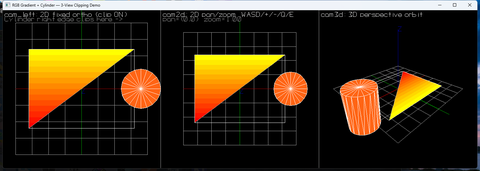 (
(Exercises virtually every classic Borland BGI function: circle, arc, ellipse, pieslice, sector, fillpoly, bar3d, drawpoly, outtextxy and more – all rendered into the 2D pixel buffer, identical output on Windows, Linux, and macOS.
Keyboard Queue Demo (<tt>wxbgi_keyboard_queue</tt>)
examples/cpp/wxbgi_keyboard_queue.cpp
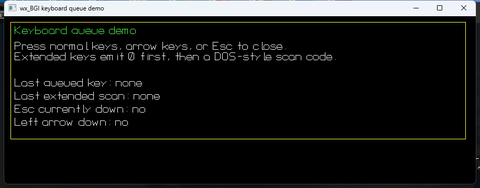 (
(Demonstrates the wxbgi_read_key() / wxbgi_is_key_down() extension API that emulates the classic DOS BGI keyboard queue, including special-key two-byte sequences.
Camera Demo – Fixed 2D Top-Down View (<tt>cam_left</tt>)
examples/cpp/wxbgi_camera_demo.cpp– left panel
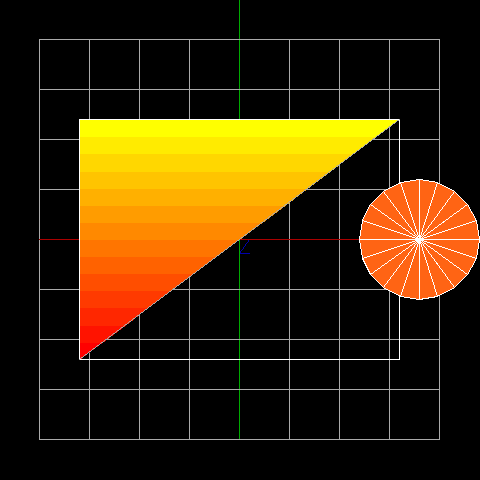 (
(The cam_left camera is a fixed 2D orthographic view looking straight down the Z-axis at the XY plane. The gradient-filled rectangle and cylinder are drawn in world coordinates and projected through this camera. Viewport clipping is active: objects that cross the panel boundary are partially clipped.
Camera Demo – Interactive 2D Pan / Zoom (<tt>cam2d</tt>)
examples/cpp/wxbgi_camera_demo.cpp– middle panel
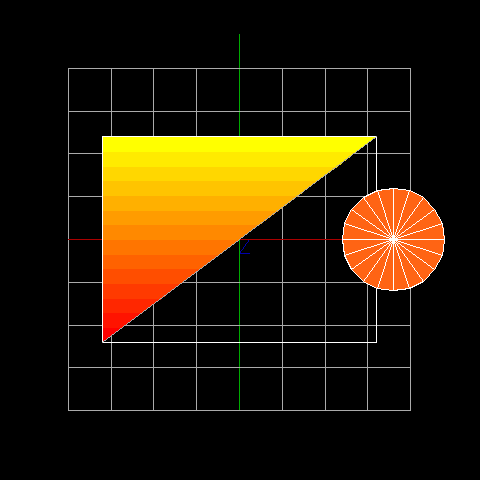 (
(An interactive 2D camera viewport supporting pan (WASD keys), zoom (+/- keys), and rotation (Q/E keys) at runtime. The scene is stored in the DDS and re-projected through cam2d on every frame – panning and zooming do not alter the DDS data, only the camera transform.
Camera Demo – 3D Perspective Orbit (<tt>cam3d</tt>)
examples/cpp/wxbgi_camera_demo.cpp– right panel
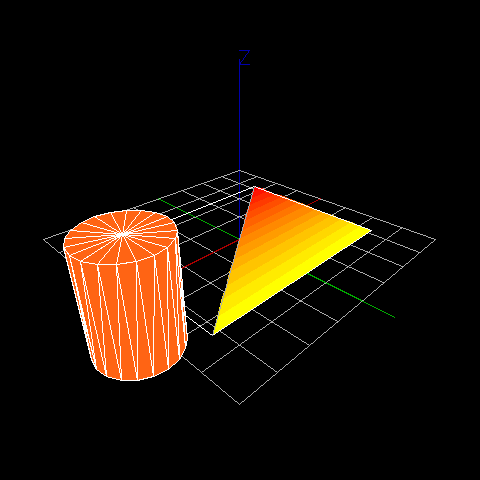 (
(A full perspective camera (fovY = 60 deg) orbiting the scene using arrow keys to change azimuth and elevation. The same DDS scene that drives the two 2D views is re-projected through this camera, demonstrating that the DDS is a single source of truth for all views simultaneously.
Camera Demo – Three-Panel Composite
Full 1440 x 480 window
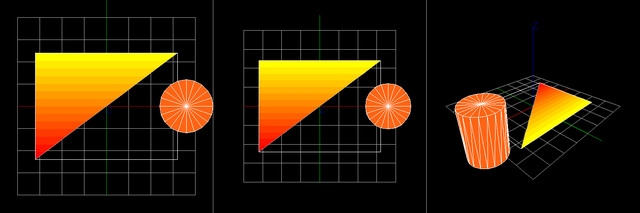 (
(All three camera viewports side-by-side in a single window: fixed 2D ortho (left), interactive 2D (centre), and 3D perspective (right). Viewport dividers and panel labels are drawn in pixel space on top of the DDS renders.
Generating Screenshots Yourself
After building the project:
The utility renders each camera view through wxbgi_render_dds(), then calls wxbgi_export_png_camera_view() (and wxbgi_export_png() for the composite) to write PNG files directly into the images/ folder.